 Hi there,It has been a long awaited stuff isn't it so ,cool down and use this stepbystep guide to get your HP laptop formatted,
What is formatting? as some may ask - Disk formatting is the process of preparing a hard disk drive or flexible disk medium for data storage. In some cases, the formatting operation may also create more new file systems.
At these stage I know you all should have understood these and will like us to proceed...
STEPS TO PROCEED
1.Insert Windows 7 bootable disc on your pc cd rom drive
2.Restart the laptop and press F9 key,Then select Internal cd/dvd Rom drive - to boot from Cd Rom drive
3.Press any key on your keyboard as requested on the laptop screen


NB:You will see setup is starting...
5. Select Operating System and click next

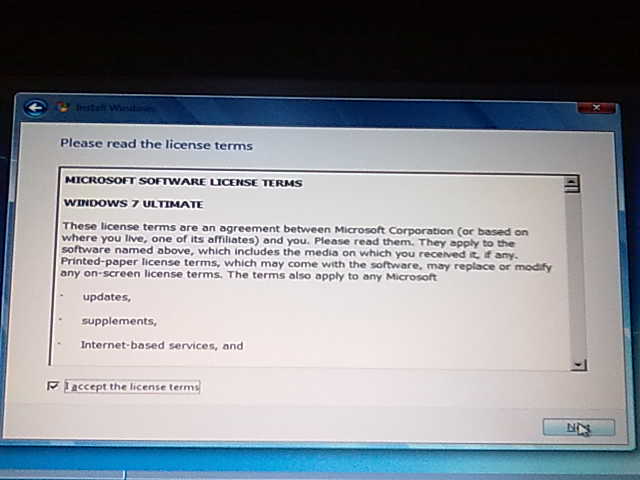
6.Accept License terms and hit next
7.Then select Custom Installation
AT THIS POINT,WHAT YOU HAVE TO DO>>
8. Delete Partition(s)- select the partition>>drive option>> and hit delete
9. Create a New partition(s) - click on "New" to create


10.Now type in the size of the partition you want to create,i.e your C:\ and D:\ respectively
Info:Size is been calculated from kg into gb(for example 10000 = 10gb,100000 = 100gb)and so on.
11.After creating your partition(s),select your C:\ partition and hit next
12.Finally your formatting begins...


-If you don't get it as I have written,start all over again until you format successfully.
-Don't hesitate to Ask any question if you still find it difficult.
Cheers...
i want to buy good laptop please suggest me to get good laptop.hp laptops
ReplyDelete